サイト掲載の1K画像1枚あたりの単価は、Nano Banana 2.1が10クレジット、モデルのNano Banana Proが16クレジットです。2Kでは15対16、4Kはどちらも20です。数値は2026年11月18日確認時点の掲載内容です。以下の3課題は、同じ条件で自分の出力を比較するために使います。
閲覧室のお知らせ:8行を照合
8行それぞれの表記、大文字、時刻、句読点を確認します。同じ行が重複していないか、タイトルが最大で「Free entry」が住所より大きいかも見ます。用紙のアイボリー、紺色の文字、細いコーラルの枠を確認し、余計な写真がないか調べます。
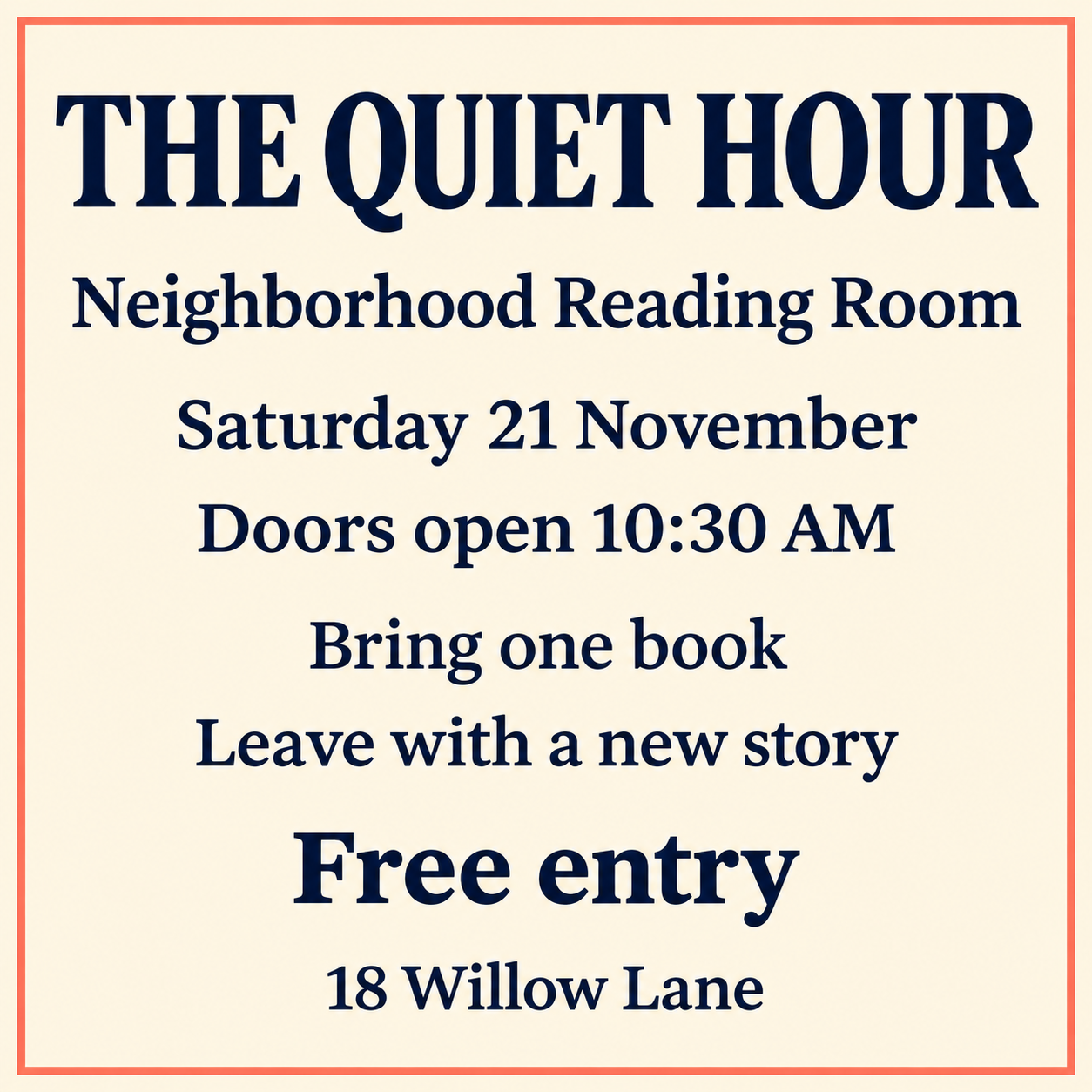
Create a square, flat graphic notice for a neighborhood reading room, printed on warm ivory paper with navy text and a thin coral border. Use a clean typographic grid and no photographs. Put these eight lines on the notice exactly, each once, with no other text: "THE QUIET HOUR"; "Neighborhood Reading Room"; "Saturday 21 November"; "Doors open 10:30 AM"; "Bring one book"; "Leave with a new story"; "Free entry"; "18 Willow Lane". Make "THE QUIET HOUR" the largest text. Make "Free entry" larger than the address but smaller than the title. Keep all eight lines fully visible and easy to read.
本の包み方:6工程とラベルの対応
2列3段で、左から右、上から下に1〜6を追います。採寸、裁断、中央に置く、長辺を折る、端を内側へ折り込む、ひもで結ぶ、の各動作をラベルと照合します。青い本、茶色の包装紙、赤いひもが枠をまたいでも同じに見えるか確認します。

Create a square illustrated infographic titled "WRAP A BOOK". Arrange six numbered panels in a two-column, three-row grid, read left to right across each row, then down. Show these exact short labels and matching actions: "1 MEASURE" with a ruler measuring brown wrapping paper beside a closed blue book; "2 CUT" with scissors cutting the paper; "3 CENTER" with the closed blue book centered on the paper; "4 FOLD SIDES" with the two long paper edges folded over the book; "5 TUCK ENDS" with triangular paper end flaps folded inward; "6 TIE" with a fully wrapped rectangular book tied in red string. Use the same blue book, brown paper, and red string throughout. Show every number exactly once, in the sequence 1, 2, 3, 4, 5, 6. Use crisp navy labels, cream backgrounds, and simple instructional drawings. Include only the title and six labels.
温室:数・素材・位置を確認
白い棚の左に花が1輪のヒマワリと素焼きの鉢、中央に青い鉢のシダ、右に灰色の鉢のサボテン。左下に赤いじょうろ、中央下に黄色の落ち葉が2枚です。中央の上の黒縁時計は数字なしで10時10分。人、動物、文字、数字がなく、必要な物が画面内に収まるか確認します。
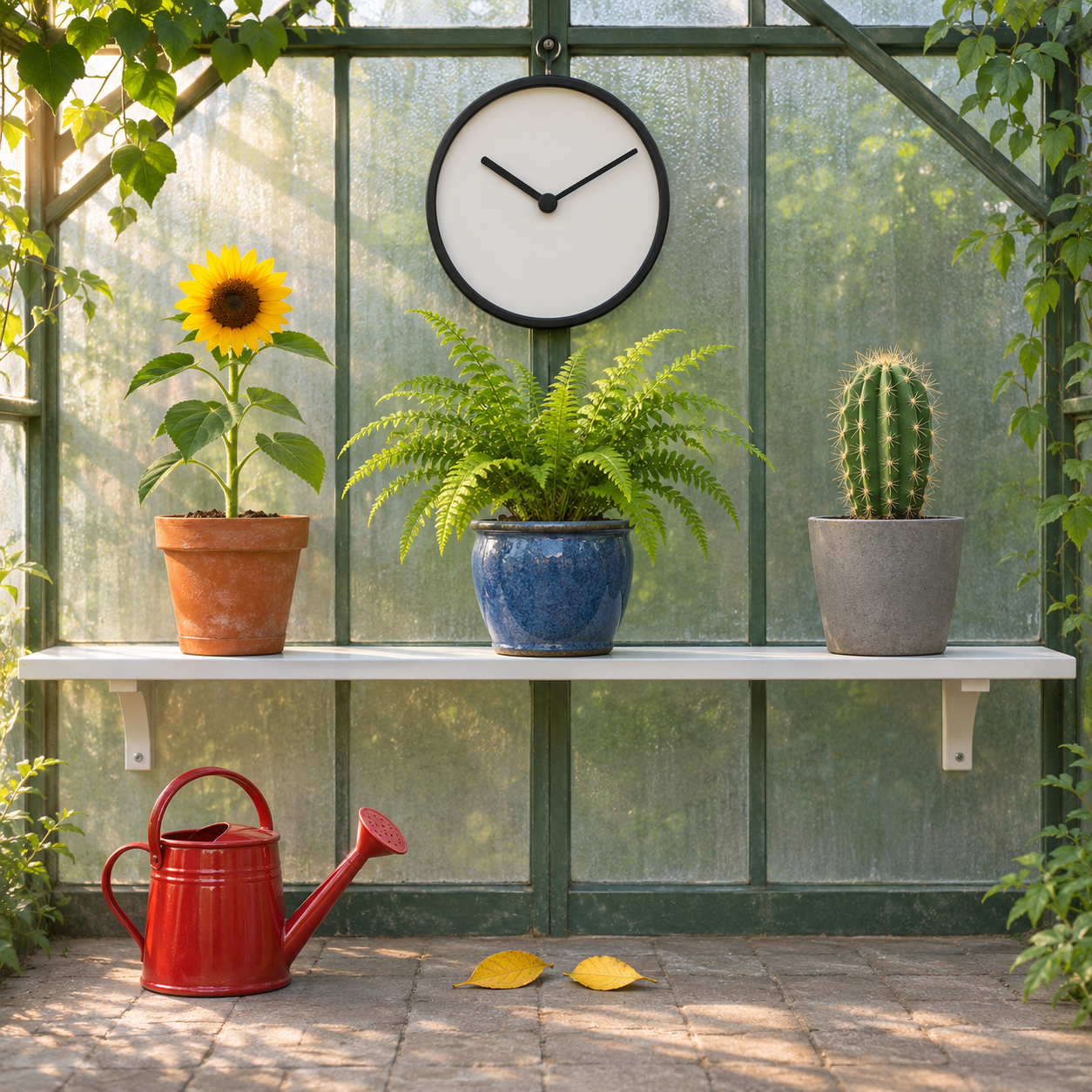
Create a square, front-facing editorial photograph of a quiet greenhouse corner in soft morning light. Follow these eight constraints: (1) exactly three plant pots sit on one long white shelf; (2) the left pot is terracotta and holds one sunflower with exactly one yellow flower head; (3) the center pot is blue ceramic and holds a fern; (4) the right pot is gray and holds a cactus; (5) a red watering can stands on the floor directly below the left pot; (6) exactly two fallen yellow leaves lie on the floor directly below the center pot; (7) a round black-rimmed clock hangs centered above the blue pot, with hands showing 10:10 and an unnumbered face; (8) the entire scene contains no people, animals, written words, or numerals. Keep the shelf, floor objects, and clock fully inside the frame.
費用と結果から選ぶ
サイトでは2.1を写実表現、図解、連続編集向けとして案内し、画像参照は最大10枚です。Proは文字や仕上げの細部を重視し、比較用の従来版Nano Banana 2はすばやい試作向けで参照は最大9枚です。正方形の出力で参照画像を使わず、各モデルの初回結果を残します。3課題ずつ実行すると合計は1Kで78、2Kで93、4Kで120クレジットです。月額プランのProと、生成モデルのProは別です。実行前に画面の単価を確認してください。
| クレジット | 1K | 2K | 4K |
|---|---|---|---|
| Nano Banana 2.1 | 10 | 15 | 20 |
| Nano Banana Pro | 16 | 16 | 20 |
| 2.1 + Pro × 3 | 78 | 93 | 120 |
関連記事
Nano Banana 2.1 · Nano Banana Pro