If you need a tight product-pack shot edited — swap a backdrop, or change one line of type on a label — both GPT Image 2.6 and Nano Banana 2.1 handled the job in this test. We used one photo of a cream Orbit Coffee tin on a cool blue backdrop, and two fixed prompts: replace only that backdrop with muted ochre, and change only the line DARK ROAST to LIGHT ROAST. Both models kept the tin, lid, star, crop, and shadow, and both landed the requested change. What still differs is small: a slight shift in cream tone and backdrop color, plus letter spacing on LIGHT ROAST. For this kind of local edit, either model is in range; pick GPT Image 2.6 if you already work in that desktop editor, and Nano Banana 2.1 if you want to do the same work in the browser.
How We Ran the Same Edit
The brief was a controlled product edit, not a style remix: one source image, two prompts, two models. The source is a square pack shot of a cream Orbit Coffee tin. The label reads ORBIT COFFEE, then DARK ROAST, then 250 g, with a four-point star above the name. The tin sits on a cool blue seamless backdrop, and the shadow falls to the right.

The first prompt asks for a local background change and nothing else:
Replace only the cool blue backdrop with muted ochre. Preserve the tin’s silhouette, lid, label artwork and exact wording, crop, camera angle, and shadow direction. Do not add anything.The second prompt asks for an on-image text change and nothing else:
Change only the line DARK ROAST to LIGHT ROAST. Keep the words ORBIT COFFEE and 250 g, the star mark, the tin, the lid, the crop, the camera angle, the shadow direction, and the cool blue backdrop exactly. Do not change anything else.GPT Image 2.6 ran both prompts on 12 November 2026, each time from the same source file. Nano Banana 2.1 ran the same two prompts on the same day, from the same source, with the wording left unchanged. Plan and pack prices from that day's Pricing page are copied into a later section. If you want to try a similar edit in the browser, start with the on-site image generator.
The Background Swap: Cool Blue to Muted Ochre
The first test is a background-only edit. The tin has to keep its silhouette, lid, label art, and wording; only the cool blue field behind it should become muted ochre — the kind of change you make when a pack shot is already framed and you need a warmer set.
On the GPT Image 2.6 pass, the blue field became a muted mustard-ochre. The label still reads ORBIT COFFEE, DARK ROAST, and 250 g. The star, the lid, the crop, and the shadow falling to the right all remain, and nothing extra was added. The tin looks a little lighter than the source cream, but it is still the same can, from the same angle.
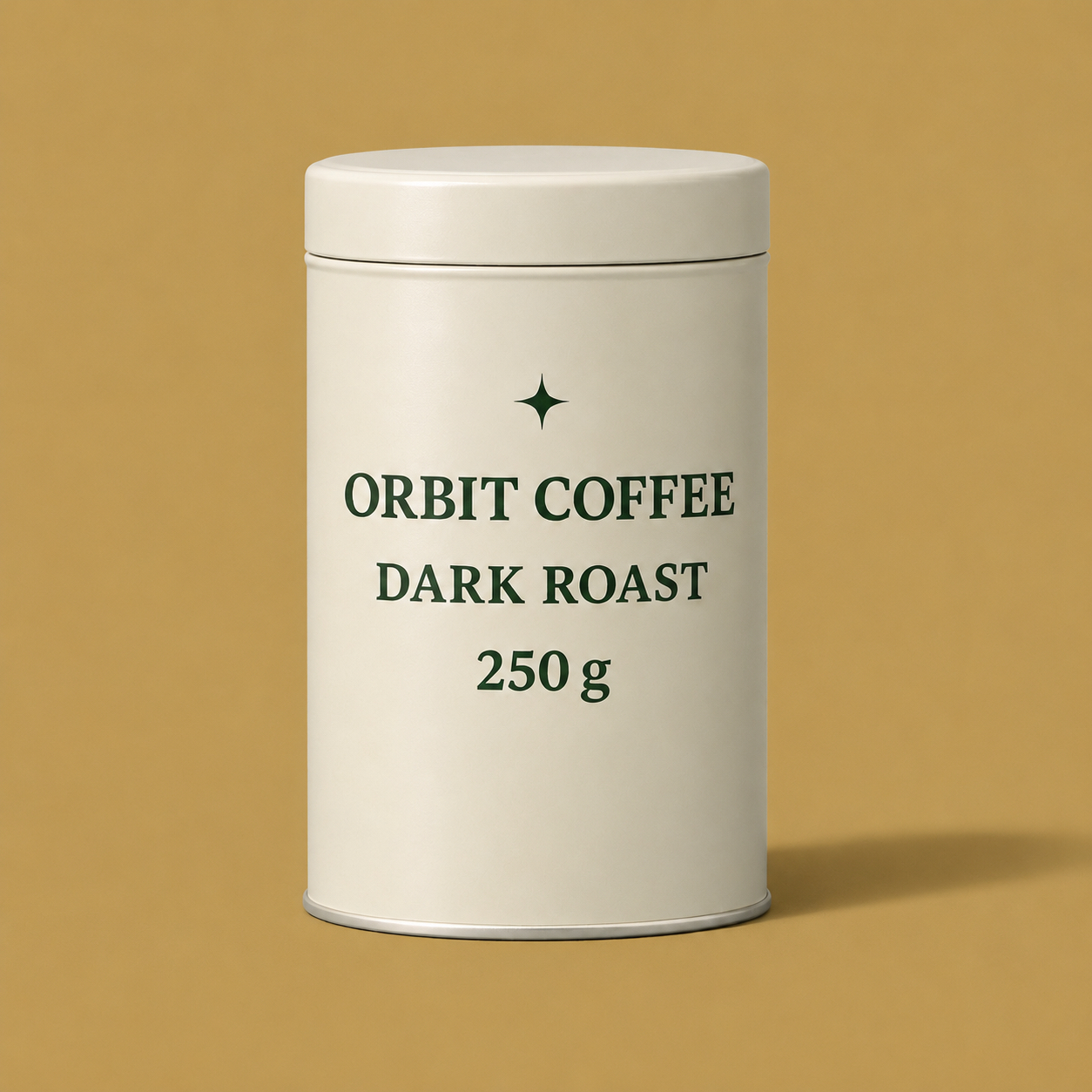
Nano Banana 2.1, given the same prompt and the same source, also completed the swap. The new backdrop is muted ochre again, very close in color to the 2.6 result. The wording is unchanged, the star is intact, and the shadow still falls to the right. Side by side, the two ochre fields are hard to tell apart at a glance; any gap is a slight warmth shift, not a different scene.
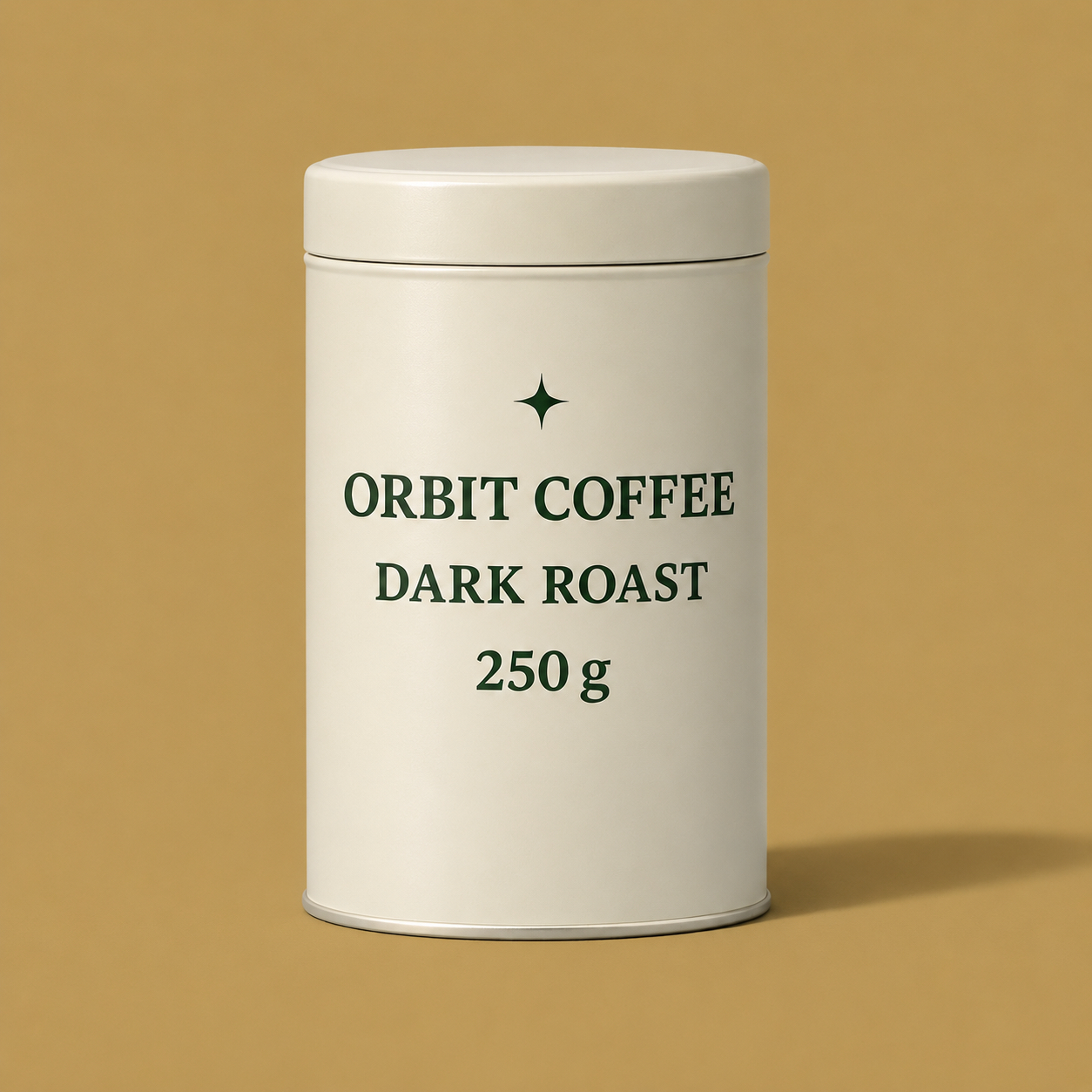
Both models did what was asked. The useful read is not a large quality gap: a tight “change only the backdrop” prompt was enough, on both sides, to keep the pack shot recognizable.
The Label Edit: DARK ROAST to LIGHT ROAST
The second test leaves the scene alone and changes one line of type. DARK ROAST has to become LIGHT ROAST, while ORBIT COFFEE, 250 g, the star, the tin, the lid, the crop, the angle, the shadow, and the cool blue backdrop stay put.
GPT Image 2.6 made that substitution cleanly. The new line reads LIGHT ROAST, with even letterforms and no leftover DARK. The brand name and the weight line are still in place, in the same dark green. The backdrop stays cool blue, and the shadow still falls to the right.

Nano Banana 2.1 used the same prompt on the same source. It also landed LIGHT ROAST, kept the other two lines, and left the cool blue field in place. At full size the two label edits are very close. The type is legible on both, and neither pass rewrote the brand name or restaged the tin.
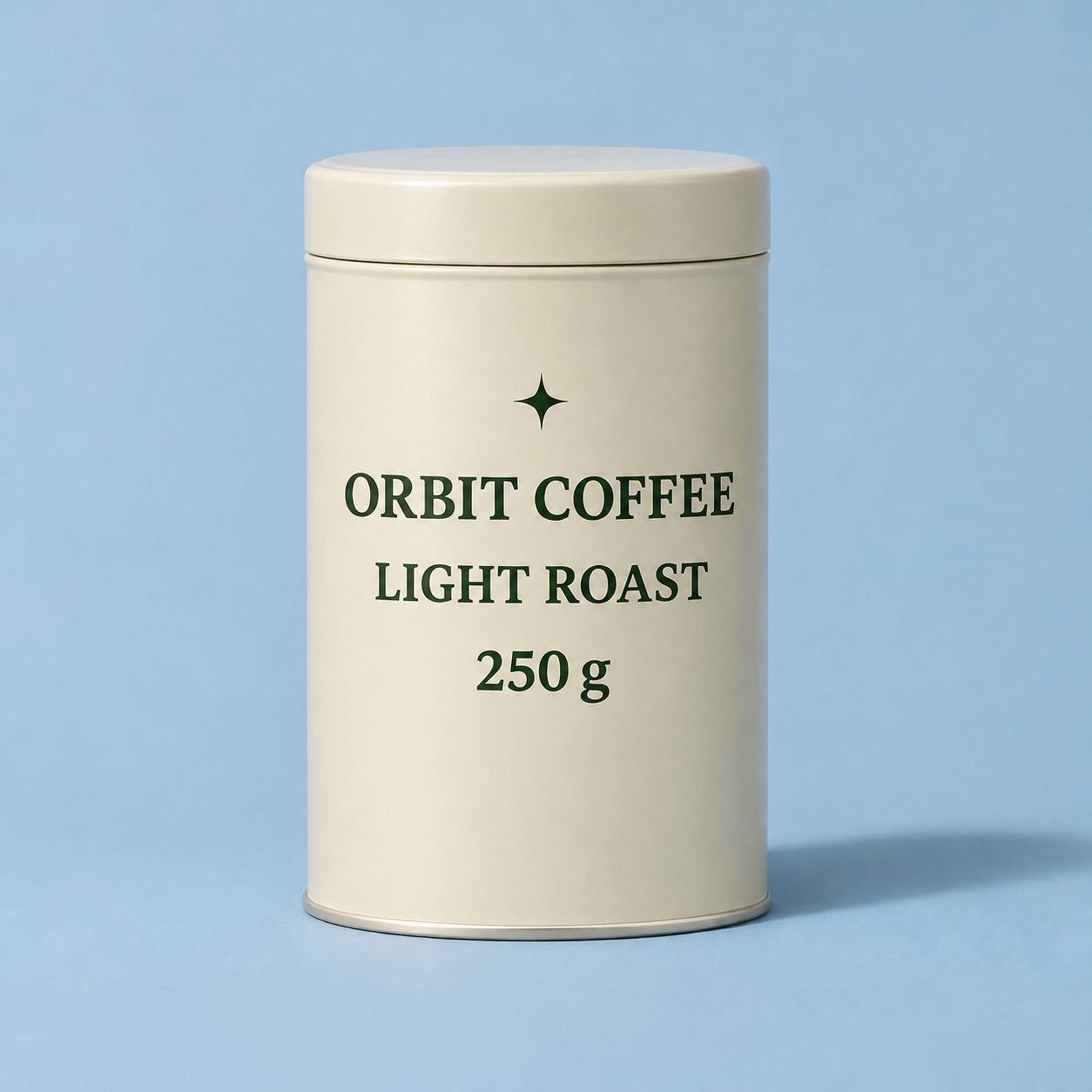
Together with the background test, this is a clean pair of local edits: one change behind the product, one change on it. Both requested edits appeared in both models.
What Held and What Drifted
What held is easier to see than what drifted. Across all four results, the tin stays a cream cylinder with a fitted lid, seen from the same slightly elevated angle. The four-point star remains above the name. ORBIT COFFEE and 250 g never drop out, and the shadow keeps falling to the right. No pass added a new object or a second product. On the background test, both models changed only the field behind the tin and left DARK ROAST in place. On the label test, both models changed only that roast line and left the cool blue field in place. The two LIGHT ROAST crops below are taken from those label results.
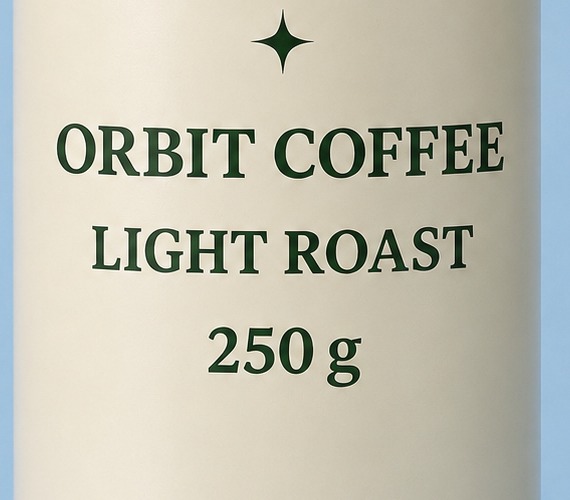

The drift is small, and it is the kind of shift you get from two separate generations rather than a failed instruction. The edited tins read a little lighter than the source cream. The two ochre backdrops sit very close to each other, as do the two retained blues. Letter spacing and stroke weight on LIGHT ROAST are not pixel-identical, but both lines are spelled correctly and stay in the same label system. If type is the job, those finish details are worth a close look; they are not a missed edit, and this article does not invent a retry count or a stability score from a single pair of passes.
What This Kind of Edit Costs
This section does not attach a per-image credit figure to GPT Image 2.6 or to Nano Banana 2.1. If you run a similar edit in the browser, use the cost shown on the generator screen for that run, and use the plan prices on the Nano Banana 2.1 pricing page when you choose a tier.
The tables below were copied from the main pricing block on that page on 12 November 2026, in US dollars. Yearly is the view the page presents first; each yearly card also shows a higher monthly figure next to the billed-yearly rate. One-time credit packs are in the same block. If the live page has changed when you read this, use that page, not this snapshot.
Yearly plans, billed yearly, with credits that renew yearly and remain valid for one year:
| Plan | Billed yearly | Yearly total | Yearly credits | Card monthly |
|---|---|---|---|---|
| Lite | $4.9 / month | $58.8 / year | 6,000 | $9.9 |
| Pro | $14.5 / month | $174 / year | 24,000 | $29 |
| Max | $45 / month | $539.94 / year | 60,000 | $89.99 |
One-time credit packs, valid for 30 days:
| Pack | Price | Listed price | Credits |
|---|---|---|---|
| Standard Credits | $19 | $38 | 800 |
| Premium Credits | $99 | $198 | 4,000 |
| Professional Credits | $200 | $400 | 9,000 |
Paid yearly plans and these one-time packs list the same included perks on that page, including video with sound effects, private generation, commercial usage rights, watermark removal, and basic support. Those perks belong to the plan or pack, and they are not a substitute for the generator-screen cost of a single edit.
Which One to Use for Image Editing
For the two jobs in this test — a backdrop-only swap on a finished pack shot, and a one-line label change that has to leave the rest of the tin alone — both GPT Image 2.6 and Nano Banana 2.1 were already enough. Both prompts landed on both sides, and the product stayed recognizable. The leftover differences are small shifts in cream tone, backdrop color, and letter finish, not a missed edit.
If you already work in the GPT Image 2.6 desktop editor and you have a similar brief — keep the pack, change the set, or change one line of type — the 2.6 results here are a fair reason to try that path first. If you want to run the same kind of edit in the browser on this site, Nano Banana 2.1 is the practical choice: open the Nano Banana 2.1 image generator, use the cost shown for that run, and pick a plan from the current plan prices when you need credits. Keep the prompt tight: say what to change, and say what must stay. Then judge the result the same way this test did: did the requested line or backdrop change, and did the rest of the product hold.