Nano Banana 2.1 is listed at 10 credits per 1K image; Nano Banana Pro (model) is listed at 16. At 2K, the published rates are 15 and 16 credits respectively, while both list 20 credits at 4K. The site's published positioning emphasizes repeated edits and infographic layouts for Nano Banana 2.1, and final images with readable text and fine detail for Nano Banana Pro (model).
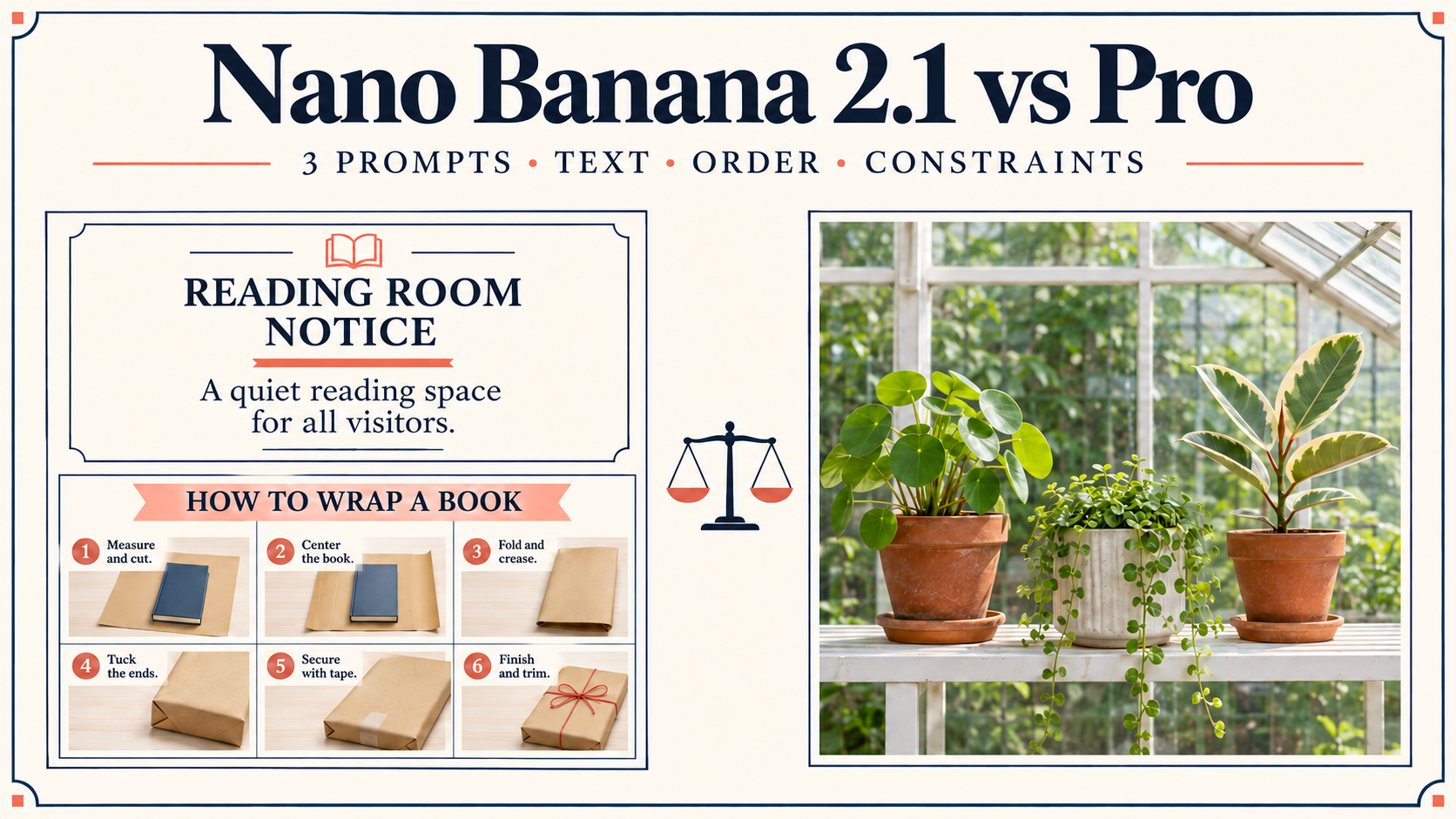
Use those prices and priorities to choose a starting point, then try the three copyable prompts below. The reading-room notice checks exact wording, the book-wrapping guide checks sequence, and the greenhouse scene checks object placement and exclusions. Use the accompanying checklists to record what meets your requirements and what needs another attempt.
Nano Banana 2.1 vs Pro at a Glance
The descriptions and rates below come from the Nano Banana Pro (model) tool-page table, with creation-input details from the Nano Banana 2.1 page, checked on November 18, 2026. The three tasks are exercises for you to run and score.
| Field | Nano Banana 2.1 | Nano Banana Pro (model) | Nano Banana 2 |
|---|---|---|---|
| Positioning | Steady subjects across repeated edits | Final images with readable text and fine detail | Fast drafts and lots of variations |
| Image detail | Improved realism | High-fidelity detail | Detailed images |
| Text rendering | Stronger text and infographic layouts | Precise typography | Clear image text |
| Published creation/use framing | Text and reference-image creation; up to 10 references | Readable text and fine detail for final images | Text and reference-image creation; up to 9 references |
| Published speed positioning | Fast | Quality-focused | Flash-speed |
| Output resolutions | 1K / 2K / 4K | 1K / 2K / 4K | 1K / 2K / 4K |
| Credits per image: 1K / 2K / 4K | 10 / 15 / 20 | 16 / 16 / 20 | 10 / 15 / 20 |
Nano Banana 2 is the earlier reference choice here; Nano Banana 2.1 adds the published emphasis on realism, text layouts, and subjects across edits. Nano Banana Pro (model) is a separate model option. These descriptions do not establish which will follow a particular brief more accurately. Speed labels are product positioning, without measured waiting times.
For background on the reference model, read What is Nano Banana 2 and Nano Banana 2 vs Pro: Which Should You Use?.
The Nano Banana 2.1 page also lists JPG/PNG output and Auto plus 14 aspect ratios. For the exercises, choose square composition, 1K, text input, no reference images, and one image per prompt per model. Keep settings and wording consistent, retain each first attempt, and record any later revisions separately.
Task 1: Check Exact Wording on a Reading-Room Notice
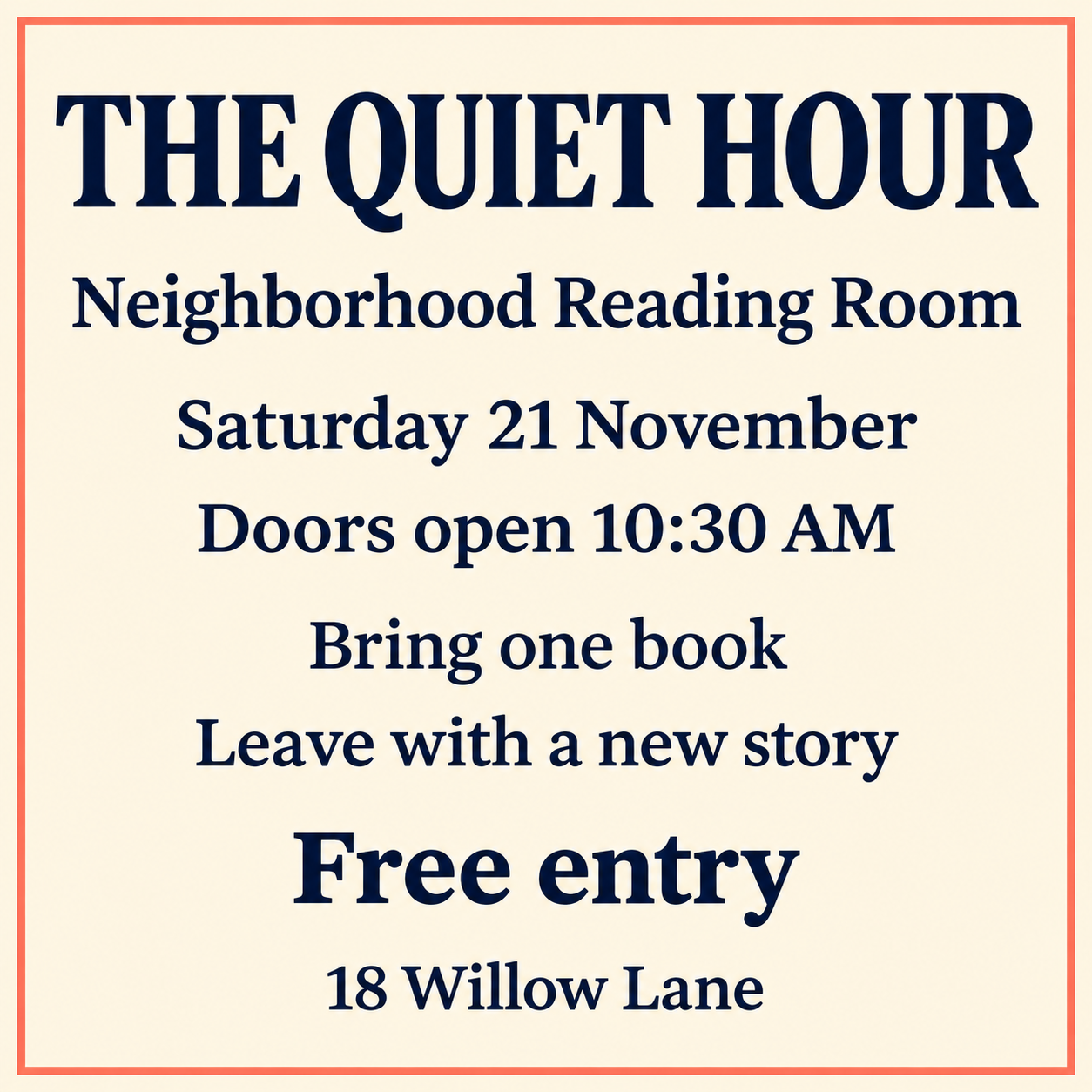
A notice combines exact text with a readable hierarchy. Copy this prompt into each model, then inspect every line before judging the overall design.
Create a square, flat graphic notice for a neighborhood reading room, printed on warm ivory paper with navy text and a thin coral border. Use a clean typographic grid and no photographs. Put these eight lines on the notice exactly, each once, with no other text: "THE QUIET HOUR"; "Neighborhood Reading Room"; "Saturday 21 November"; "Doors open 10:30 AM"; "Bring one book"; "Leave with a new story"; "Free entry"; "18 Willow Lane". Make "THE QUIET HOUR" the largest text. Make "Free entry" larger than the address but smaller than the title. Keep all eight lines fully visible and easy to read.
Make a separate pass/fail record for each model. Award a pass only when the entire item is satisfied:
- Check each of the eight quoted lines individually for exact spelling, numbers, capitalization, and punctuation.
- Check that each line appears once, with no additional text.
- Confirm the title is largest, and “Free entry” falls between the title and address in size.
- Confirm every line is fully visible and readable.
- Check the ivory paper, navy text, coral border, typographic grid, and absence of photographs.
Record the specific failed line or layout requirement beside each failure. An attractive notice with an incorrect opening time would still need correction before use.
Task 2: Check Sequence in a Six-Step Book-Wrapping Guide
An instructional image needs correspondence between labels and actions as well as correct numbering. Use this brief to examine whether a reader could follow the sequence without guessing.
Create a square illustrated infographic titled "WRAP A BOOK". Arrange six numbered panels in a two-column, three-row grid, read left to right across each row, then down. Show these exact short labels and matching actions: "1 MEASURE" with a ruler measuring brown wrapping paper beside a closed blue book; "2 CUT" with scissors cutting the paper; "3 CENTER" with the closed blue book centered on the paper; "4 FOLD SIDES" with the two long paper edges folded over the book; "5 TUCK ENDS" with triangular paper end flaps folded inward; "6 TIE" with a fully wrapped rectangular book tied in red string. Use the same blue book, brown paper, and red string throughout. Show every number exactly once, in the sequence 1, 2, 3, 4, 5, 6. Use crisp navy labels, cream backgrounds, and simple instructional drawings. Include only the title and six labels.

Mark each item pass or fail for each model:
- The title is exactly “WRAP A BOOK,” with only the six requested labels as additional text.
- Six panels form two columns and three rows; numbers appear once each in row reading order.
- Panel 1 shows measurement; panel 2 shows scissors cutting paper; panel 3 centers the blue book. Check each separately.
- Panel 4 folds the long sides; panel 5 folds triangular ends inward; panel 6 shows a wrapped book secured with red string. Check each separately.
- Book, paper, string, colors, and drawing style remain consistent wherever shown.
Score an action only when it is visibly associated with its correct label. If the paper folds are unclear, record that ambiguity rather than assuming the intended action happened.
Task 3: Check Eight Constraints in a Greenhouse Scene
This brief combines quantities, materials, spatial relationships, and exclusions. Inspect the image systematically: shelf first, floor second, clock last.
Create a square, front-facing editorial photograph of a quiet greenhouse corner in soft morning light. Follow these eight constraints: (1) exactly three plant pots sit on one long white shelf; (2) the left pot is terracotta and holds one sunflower with exactly one yellow flower head; (3) the center pot is blue ceramic and holds a fern; (4) the right pot is gray and holds a cactus; (5) a red watering can stands on the floor directly below the left pot; (6) exactly two fallen yellow leaves lie on the floor directly below the center pot; (7) a round black-rimmed clock hangs centered above the blue pot, with hands showing 10:10 and an unnumbered face; (8) the entire scene contains no people, animals, written words, or numerals. Keep the shelf, floor objects, and clock fully inside the frame.
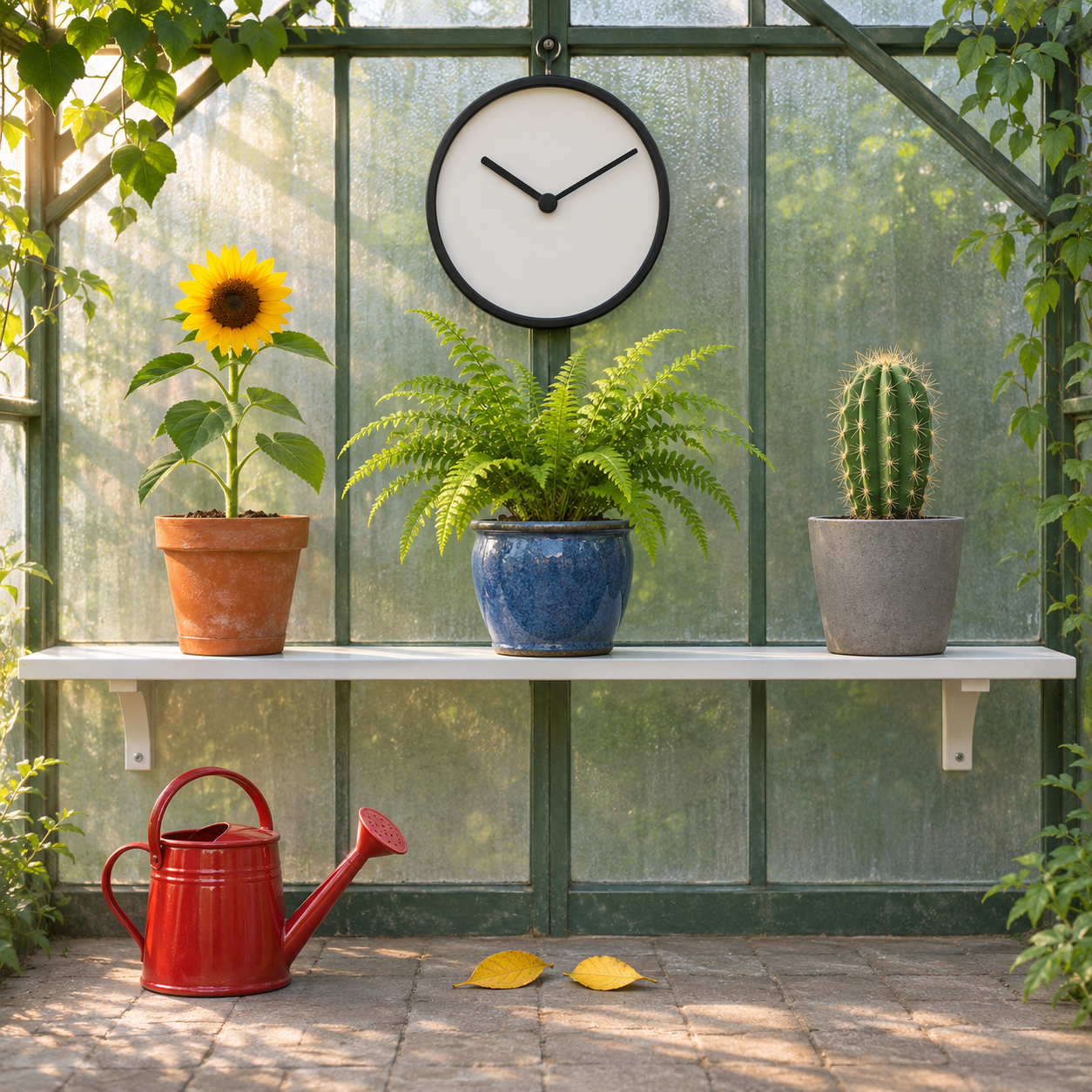
Use one pass/fail entry per numbered requirement:
- Exactly three pots occupy one long white shelf.
- The left terracotta pot holds one sunflower with one yellow flower head.
- The center blue ceramic pot holds a fern.
- The right gray pot holds a cactus.
- A red watering can stands below the left pot on the floor.
- Exactly two fallen yellow leaves sit below the center pot on the floor.
- A centered, round, black-rimmed clock above the blue pot shows 10:10 without numbers.
- No people, animals, written words, or numerals appear anywhere.
Also check that the required objects remain inside the frame and that the composition follows the requested photographic treatment. Count every required element before choosing a preferred visual style.
Budget a Six-Image Comparison at Published Rates
Running three prompts on both models, one image each, would require a published-rate 1K budget of 78 credits: (3 × 10) + (3 × 16). That allocates 30 credits to Nano Banana 2.1 and 48 to Nano Banana Pro (model).
At 2K, the prospective budget is 93 credits: (3 × 15) + (3 × 16). At 4K, it is 120 credits: (3 × 20) + (3 × 20). Additional attempts would increase the budget.
Nano Banana 2.1 requires 6 fewer credits per image at 1K and 1 fewer at 2K. Both models list 20 credits at 4K. Resolution therefore changes the size of the price difference.
The monthly subscription options are Lite at $9.9 for 500 credits, the subscription plan named “Pro” at $29 for 2,000 credits, and Max at $89.99 for 5,000 credits. The subscription plan “Pro” supplies an account allowance; Nano Banana Pro (model) identifies the generator. Review monthly subscription plans and credit allowances when choosing an allowance for your workload.
Choose by Task Requirements and Published Price
For repeated edits, realism, and infographic layouts, Nano Banana 2.1's published emphasis makes it a relevant starting option, particularly at 1K. For final images with readable text and fine detail, consider Nano Banana Pro (model) because those are its stated priorities. Neither description guarantees a pass on these briefs.
Start by running your chosen brief with Nano Banana 2.1, then running the identical brief with Nano Banana Pro (model). You can also open the image generator for your task. Compare your completed checklists and count revisions before deciding which option suits the work.
Is nano banana 2 better than nano banana pro?
10 versus 16 credits at 1K makes Nano Banana 2 the cheaper reference option. Its published focus is fast drafts and variations; Nano Banana Pro (model) emphasizes final detail and typography.
Is nano banana pro actually better?
16 credits at either 1K or 2K is the published rate for Nano Banana Pro (model). Its typography and detail positioning give you a reason to try it, while your checklist establishes suitability.
What's the best version of nano banana?
20 credits per image at 4K is the published rate for both Nano Banana 2.1 and Nano Banana Pro (model). Choose according to the required features and the outputs you evaluate for your own task.