Short answer: if you just want one reliable default, pick Nano Banana 2.1—or Nano Banana 2.5 when you want 4K detail and broader everyday exploration.
Once you open the model menu, seeing Nano Banana 2 Lite, 2.1, 2.5, and Pro side by side can feel confusing. They aren't meant to replace one another completely—each tier trades speed and credit cost for sharper detail, text control, or multi-subject accuracy.
10-Second Decision Table: Pick by What You Are Making
Instead of memorizing model specs, match your current task to the tier built for it:
| What You Are Making | Best Nano Banana Model | Why It Fits |
|---|---|---|
| Fast rough ideas & moodboards | Nano Banana 2 Lite | Fastest turnaround for testing angles and colors before committing |
| Everyday portraits, social posts & edits | Nano Banana 2.1 | Best balance of natural skin texture, prompt adherence, and credit cost |
| 4K stills & high-detail scenes | Nano Banana 2.5 | Great for crisp 4K generation and everyday reference edits |
| Complex layouts, signage & multi-face shots | Nano Banana Pro | Strongest spatial control, dense text accuracy, and strict series consistency |
Everyday Portraits & Speed: 2 Lite vs 2.1 vs 2.5
For quick brainstorming—checking whether a red jacket or camel coat works better—Nano Banana 2 Lite gives you instant visual direction without spending extra credits. However, when you zoom in on fabric weave, stray hair strands, and natural skin pores, 2.1 and 2.5 hold fine textures noticeably better.
When you want crisp 4K output for wallpapers, lookbooks, or clean lifestyle shots, stepping up to Nano Banana 2.5 keeps natural afternoon light and skin texture intact without sliding into overly smooth "AI glow."
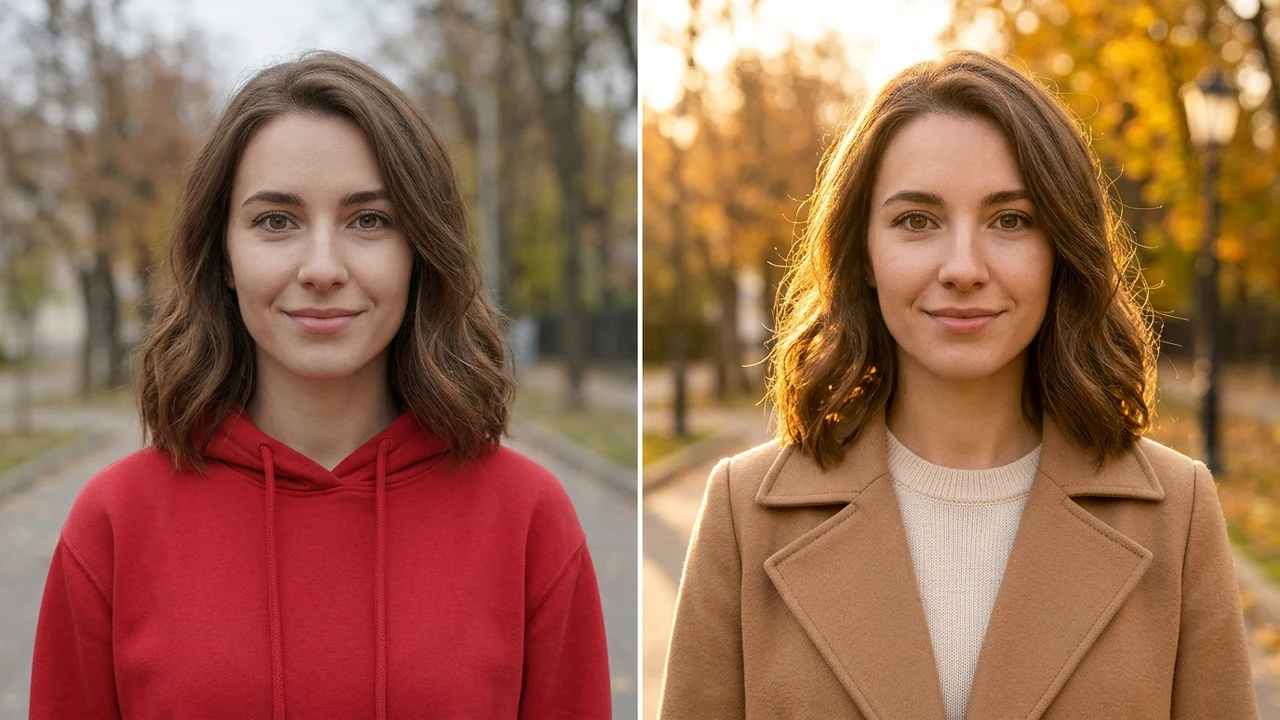
Golden-hour outdoor street portrait of a young woman in a camel wool trench coat on an autumn tree-lined avenue, natural skin pores, fine individual hair strands catching afternoon rim light, 50mm lens at f/2.0, candid editorial photography, no text, no watermark, 16:9.
Complex Scenes & Multi-Object Precision: 2.1 vs Pro
For 80% of standard edits—such as swapping a background or adjusting lighting on a single product—Nano Banana 2.1 is already sharp, fast, and cost-effective. Where Pro earns its higher credit cost is crowded scenes with multiple objects, strict spatial placement, or heavy in-scene typography.
If a prompt asks for four specific items on a café table plus clean glass reflections and accurate shadows, Nano Banana Pro follows spatial instructions with fewer retries. (For a direct two-way benchmark on text and item order, see our 2.1 vs Pro test.)
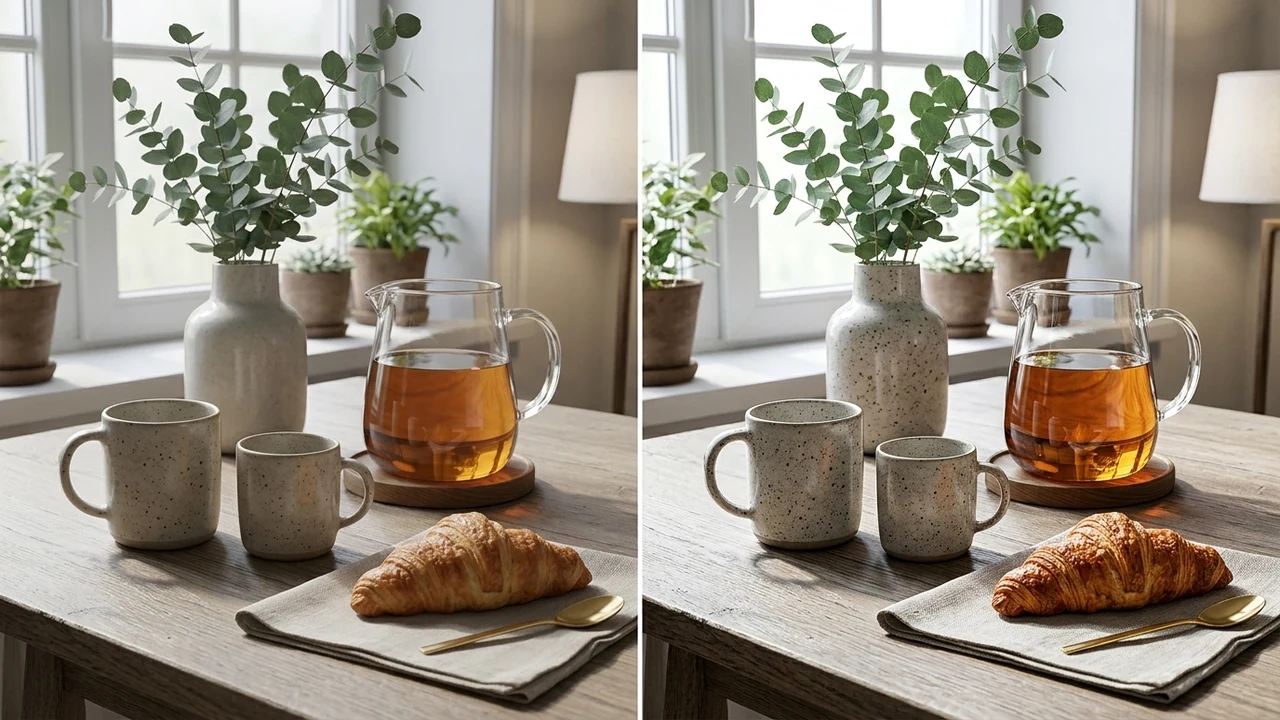
Artisan café tabletop scene in warm morning window light: a glass pour-over coffee carafe on the left, two matte stoneware mugs in the center, a flaky croissant on a linen napkin, and a small ceramic vase with eucalyptus leaves on weathered oak wood, crisp glass refraction, natural contact shadows, no text, 16:9.
How Smart Creators Mix Models to Save Credits
You don't have to use one tier for the entire project inside the AI Generator. Most regulars use a simple two-step habit:
- Draft cheap, finish sharp: Test three compositions in 2 Lite or 2.5 first, pick the winner, then run your final hero render in 2.1 or Pro.
- Save Pro for strict briefs: Only pay extra Pro credits when a shot has dense readable text, five-plus subjects, or commercial packaging that cannot warp.
If you're also comparing Nano Banana against OpenAI's image lineup, check our side-by-side GPT Image 2.5 comparison or review our Nano Banana 2 guide.
Frequently Asked Questions
Which Nano Banana model is best for beginners?
Start with Nano Banana 2.1 (or 2.5). Both follow plain-English prompts reliably, handle everyday photo edits cleanly, and keep credit costs predictable.
Is Nano Banana Pro worth the extra credits?
Yes—when you need strict spatial layouts, dense poster text, or consistent multi-character scenes. For simple single-subject portraits or quick background swaps, 2.1 gives nearly identical quality for fewer credits.
What is the difference between Nano Banana 2.1 and 2.5?
2.1 is tuned as the balanced everyday workhorse for consistent edits and short typography, while 2.5 pushes higher-resolution 4K output and crisp detail for standalone visuals.
When should I use Nano Banana 2 Lite?
Use 2 Lite when you are brainstorming—testing color palettes, outfits, or framing ideas quickly before polishing your favorite concept in a higher tier.
Where can I check credit costs for each model?
Every model selector shows its per-generation cost upfront before you click generate, or you can compare plans anytime on our Pricing page.