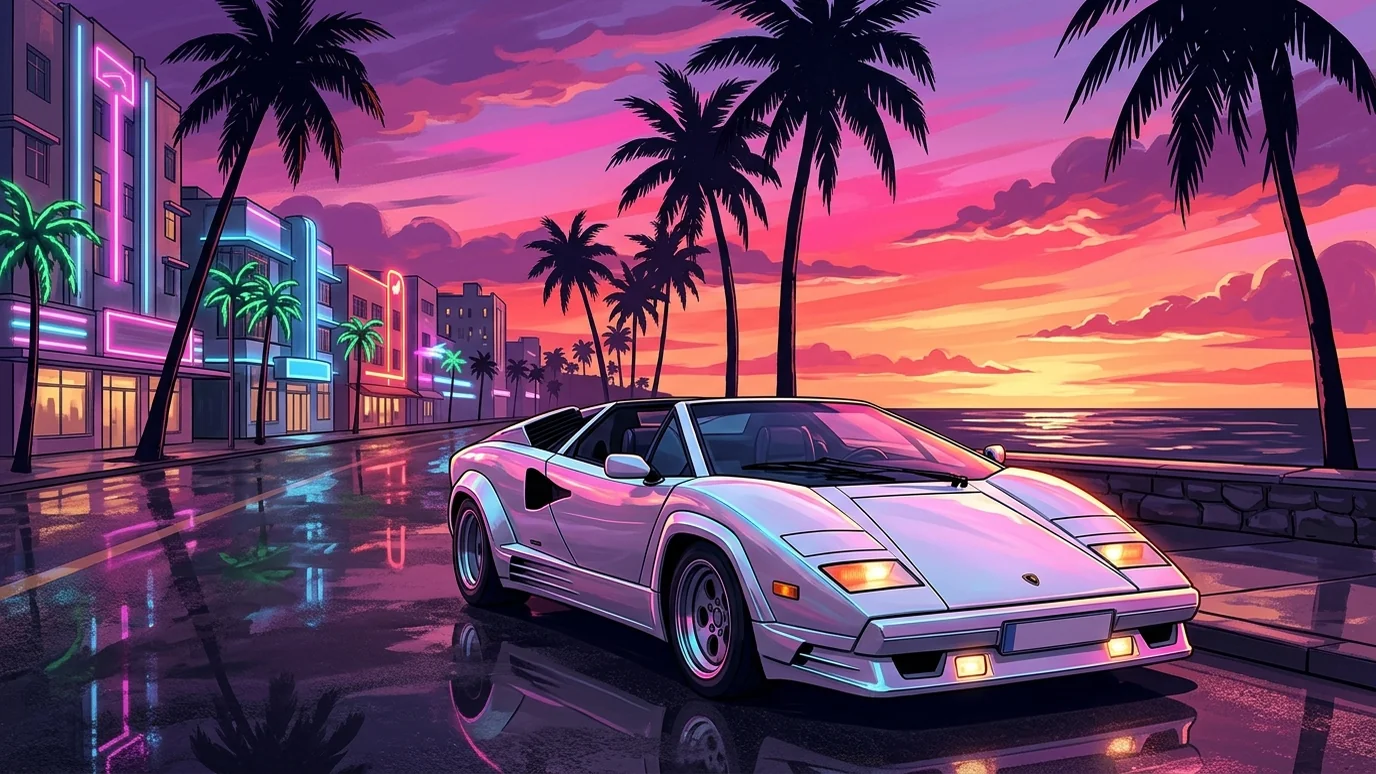
To turn any selfie, couple photo, or car snapshot into GTA 6–style fan art in Nano Banana 2, upload your photo as a strict identity reference and prompt for semi-realistic painterly Vice City illustration with crisp ink-like lighting edges and a magenta-amber palm sunset.
Whether you are jumping on the viral GTA 6 Loading Screen trend, testing a Me in GTA 6 street scene, creating a GTA 6 Couple duo poster, or turning your own car into a 4K Vice City wallpaper, the biggest failure is letting the filter erase your real face. Here is how to lock your features while nailing all four styles.
Why Generic GTA AI Filters Erase Your Real Face
Most one-click "GTA filters" replace your jawline with a generic video-game NPC because they apply heavy cartoon stylization over the whole image. To keep your photo recognizable on TikTok, X, and Discord, split the prompt into three layers:
- Keep-list first: Lock eye spacing, glasses, hairline, or car body lines in the opening sentence.
- Art style second: Call out semi-realistic painterly cel-shaded game cover art with crisp lighting edges—never "cartoon" or "anime," which melts human proportions.
- Atmosphere third: Use Vice City color cues—magenta, coral, and golden-amber dusk skies, palm silhouettes, and wet neon asphalt—while keeping
no game logo, no textso nothing gets misspelled.
GTA 6 Loading Screen Template for Nano Banana 2
The GTA 6 Loading Screen format is the #1 viral template on TikTok and X right now: a solo portrait placed in front of a sun-drenched Leonida palm boulevard with warm sunset rim light. Upload one clear front-lit selfie into the photo-to-game-art studio and use this fill-in-the-blank Nano Banana 2 template ([Keep Identity] + [Pose/Outfit] + [Vice City Sunset] + [Painterly Cel-Shaded Edges])—or copy the ready-to-run prompt below.
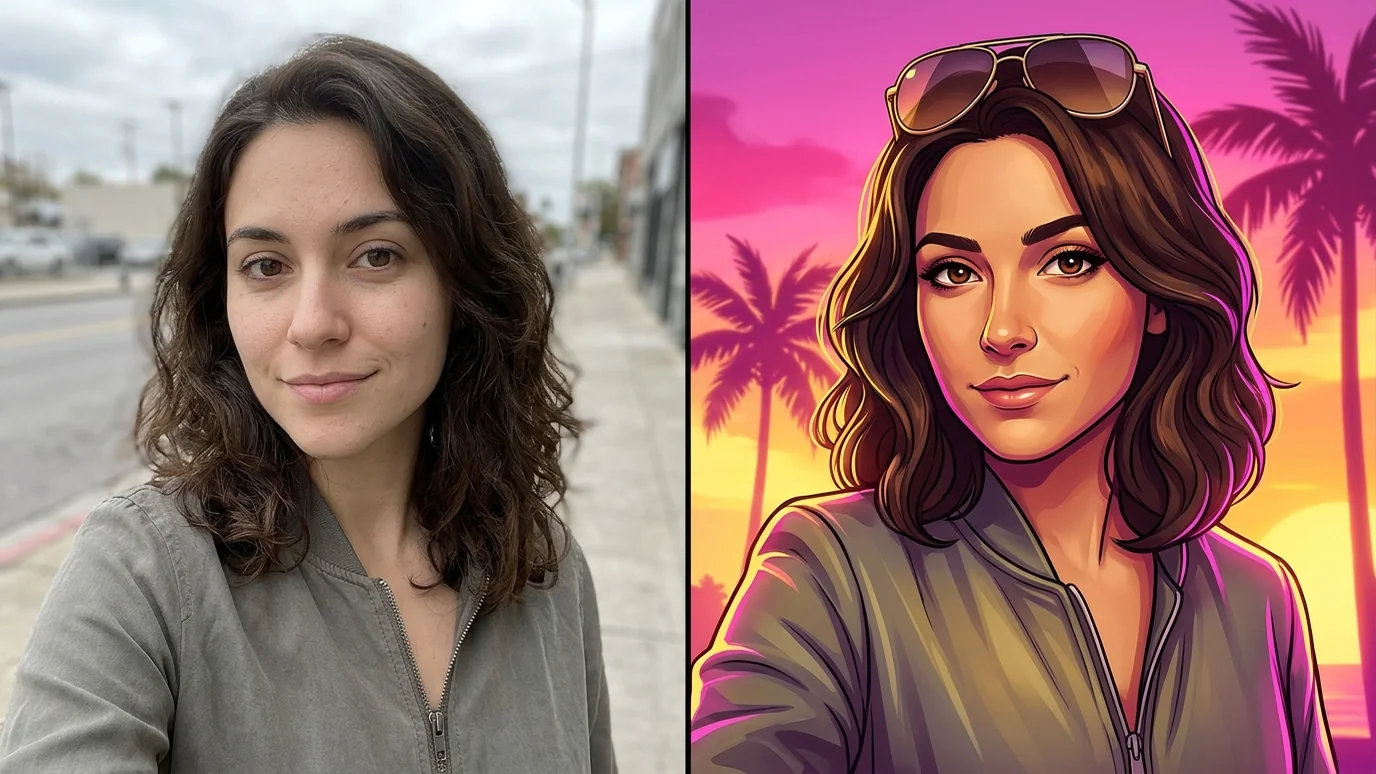
Using the uploaded selfie as a strict facial identity reference, keep the person's exact face, hairstyle, eye spacing, and natural expression recognizable. Transform the photo into a stylized Vice City loading-screen character illustration: semi-realistic painterly game cover art with crisp ink-like lighting edges, vibrant magenta and golden-orange palm-tree sunset behind them, retro sunglasses perched on their head, warm neon rim lighting, no text, no game logo, no watermark, 16:9.
GTA 6 Couple & Duo Box-Art Posters
The GTA 6 Couple trend places two partners or best friends together in a dual-protagonist box-art frame—leaning against a retro convertible outside a neon beachfront diner at dusk. To stop both faces from drifting into generic lookalikes, upload both portraits together and apply our character consistency workflow; if you are merging two separate selfies, pair it with face-swap keep-lists.
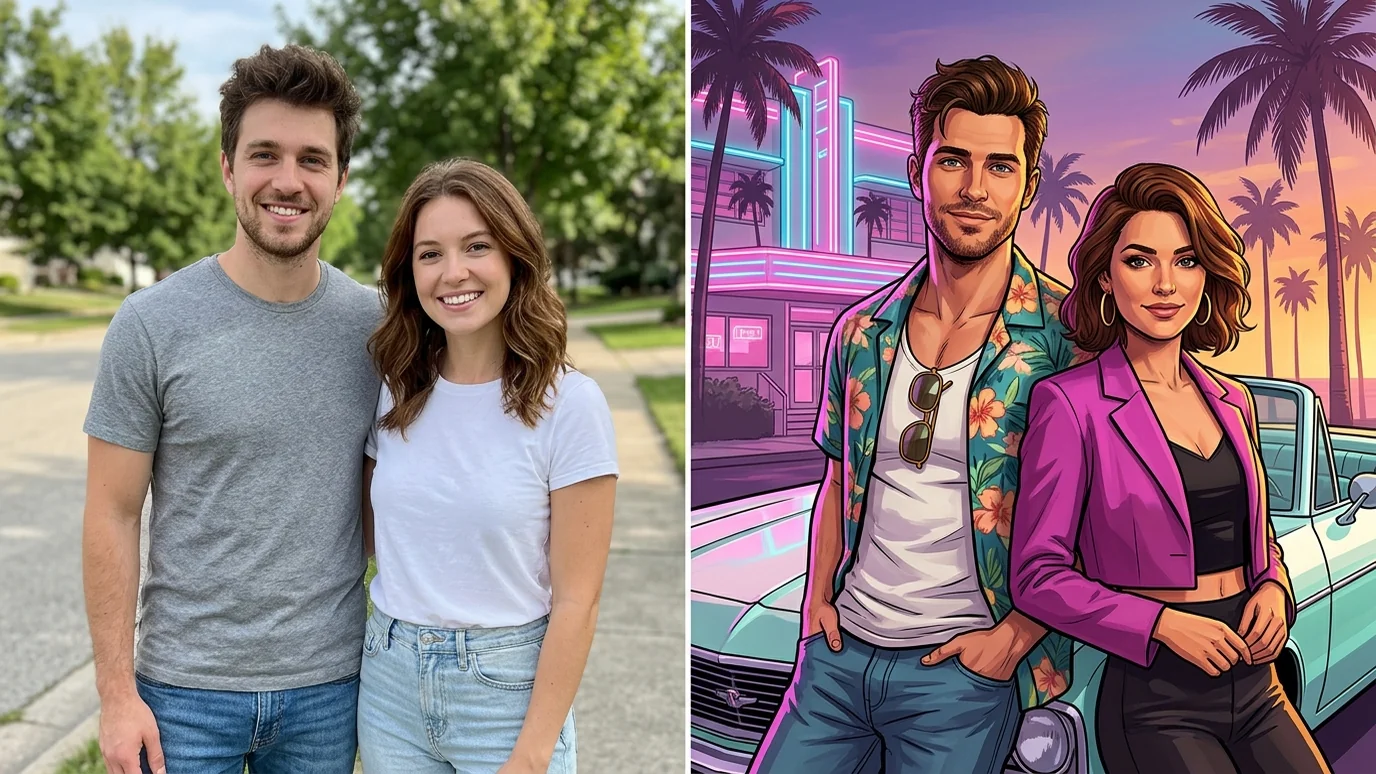
Using the uploaded couple photo as a strict identity reference for both people, keep both faces, hairstyles, and builds clearly recognizable. Transform them into a stylized Vice City dual-protagonist game poster illustration leaning casually against a retro convertible sports car outside a glowing pink-and-cyan neon beachfront diner at dusk. Semi-realistic painterly cel-shaded cover art with crisp lighting edges, palm silhouettes, warm sunset rim light, no text, no game logo, no watermark, 16:9.
GTA 6 Poster, 4K Car Wallpaper & Gaming Thumbnails
Car enthusiasts and gaming creators also use the GTA 6 Poster & Wallpaper style to drop their actual car, motorcycle, or pet into a neon-lit Ocean Drive boulevard—or to build high-contrast gaming covers alongside our background replacement guide.
| What You Want to Make | Best Reference Input | Key Prompt Detail |
|---|---|---|
| Me in GTA 6 (Street Scene) | 1 full-body or waist-up street photo | Add "standing beside a neon-lit beachfront motel and palm trees at dusk" |
| GTA 6 Car Wallpaper | 1 daytime side-3/4 photo of your car | Keep exact headlights, grille, and paint color; add "wet neon asphalt reflections" |
| GTA 6 Gaming Thumbnail | 1 reaction selfie + car or city scene | Push subject to left third and leave right sky clear for title text |
Put Your Real Car or City Into Vice City Sunset Art
Upload a daytime parking-lot snapshot of your car and keep its exact headlights, grille, and body lines locked while shifting only the environment and painterly sunset lighting.
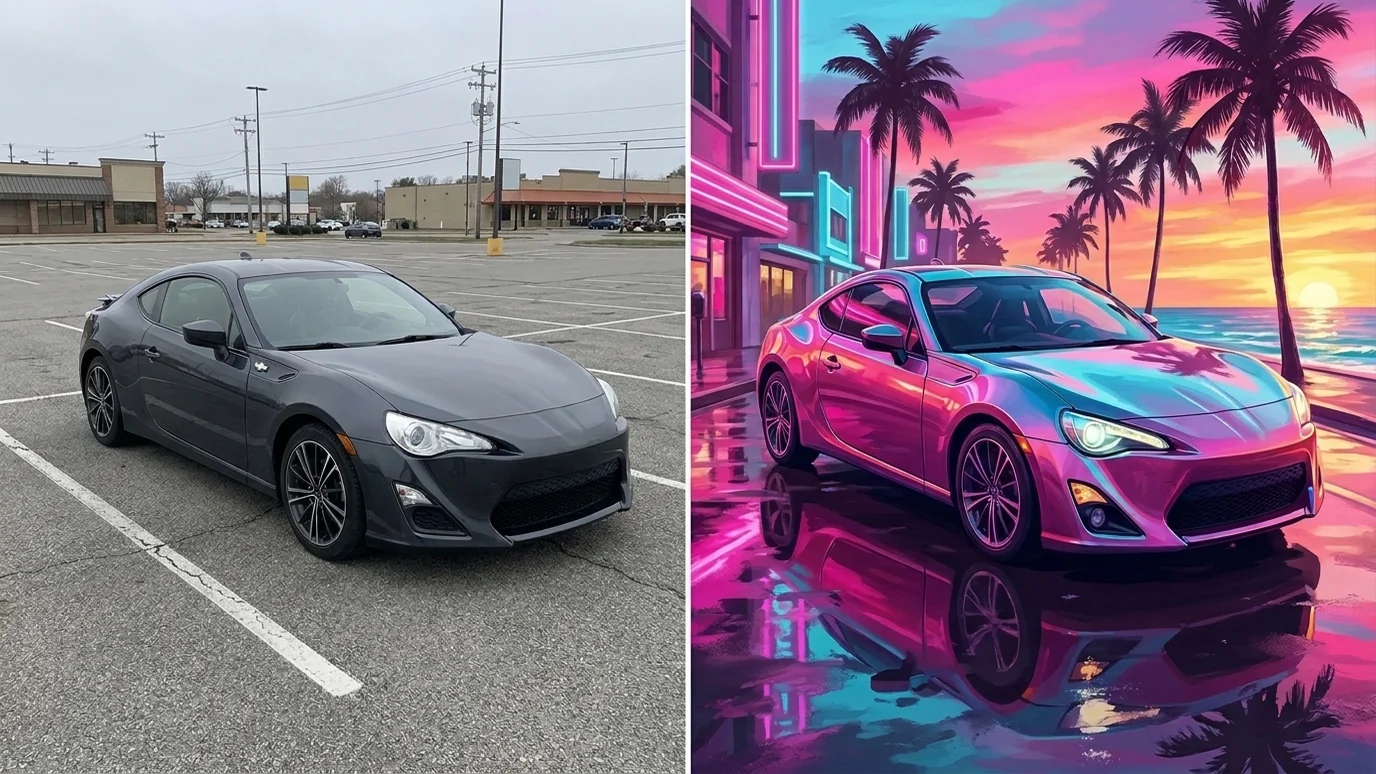
Using the uploaded car photo as a strict vehicle reference, preserve the exact car model, headlights, grille, wheels, and body proportions unchanged. Transform the scene into a vibrant 4K Vice City sunset poster wallpaper illustration, parked on a wet neon-lit palm-tree ocean boulevard reflecting magenta, coral, and cyan dusk skies, semi-realistic painterly game cover art with crisp specular highlights, no text, no license plate gibberish, no watermark, 16:9.
Frequently Asked Questions
How do I make the viral GTA 6 Loading Screen trend from my own selfie?
Upload a clear front-lit selfie into Nano Banana 2, lock your facial features in the first sentence, and prompt for "semi-realistic painterly Vice City loading-screen illustration with crisp lighting edges and a magenta-orange palm sunset".
Can I put both my partner and me into a GTA 6 Couple poster from separate photos?
Yes. Upload both solo selfies together as references, specify a shared retro convertible and neon beachfront diner at dusk, and apply unified sunset rim lighting so both people look painted into the same scene.
How do I stop AI from adding gibberish "GRAND THEFT" logos or fake text?
Always include "no text, no game logo, no watermark" in your prompt. Generate the clean artwork first, then add any custom title or gamertag cleanly in Figma or CapCut.