Most people don't write New Year AI prompts from scratch—they see a viral 2027 party shot on TikTok or Instagram, copy a prompt, upload one phone selfie, and immediately run into the same three headaches: the AI swaps their face for a glossy stranger, misspells 2027 on signs or balloons, or outputs a landscape image that gets awkwardly cropped in Instagram Stories.
This guide skips generic stock clichés and gives you five battle-tested New Year's Eve (NYE) 2027 prompts built for real selfie uploads—covering the viral 11:59 PM elevator direct-flash selfie, rooftop sparkler portraits, couple champagne toasts, golden editorial transitions, and quick 1-line fixes when face lock or 2027 numbers drift.
Which 2027 New Year Style Fits Your Feed?
Pick the concept that matches where you plan to post—each template below is tuned for real skin texture rather than over-smoothed "AI party" plastic:
| NYE 2027 Concept | Best For | Aspect Ratio Tip | Photo to Upload |
|---|---|---|---|
| 1. 11:59 PM Elevator Flash Selfie | TikTok & IG Reels raw party aesthetic | 9:16 (Stories/Reels) or 4:5 (Feed) | 1 clear front-facing selfie |
| 2. Rooftop Sparkler Portrait | Crisp profile pics & midnight countdown posts | 4:5 or 16:9 cover | 1 waist-up or headshot photo |
| 3. Midnight Couple Champagne Toast | Couples & best-friend New Year recaps | 4:5 or 3:2 | 1 casual two-person selfie |
| 4. Golden 2027 Editorial Transition | "Goodbye 2026 / Hello 2027" slideshows | 9:16 for CapCut/TikTok | 1 neutral-lit portrait |
| 5. Chrome '2027' Studio Balloons | Bold text-driven NYE cards & invites | 4:5 or 1:1 | 1 smiling portrait |
Idea 1: The 11:59 PM Direct-Flash Hotel Elevator Selfie
The biggest NYE photo trend on TikTok and Instagram doesn't look like a studio shoot—it looks like a raw, slightly grainy phone snapshot taken inside a brushed-steel hotel elevator seconds before midnight. Harsh on-camera flash flattens artificial "AI glow" and makes skin pores, satin fabric, and shadows look genuinely candid.
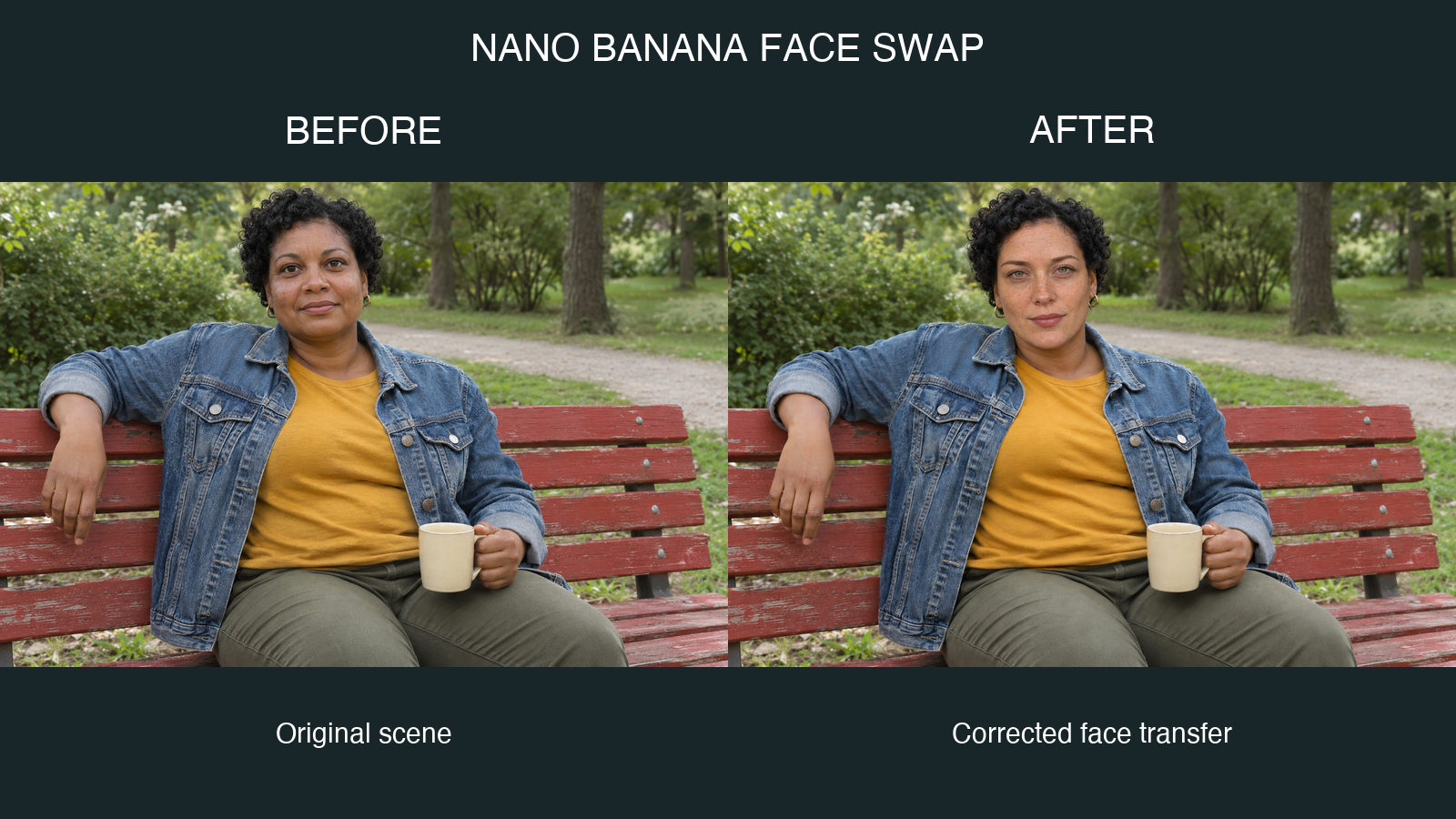
Upload one clear selfie to the Nano Banana AI photo editor and keep your jawline and eye spacing locked using the rules from our Nano Banana Face Swap keep-list.
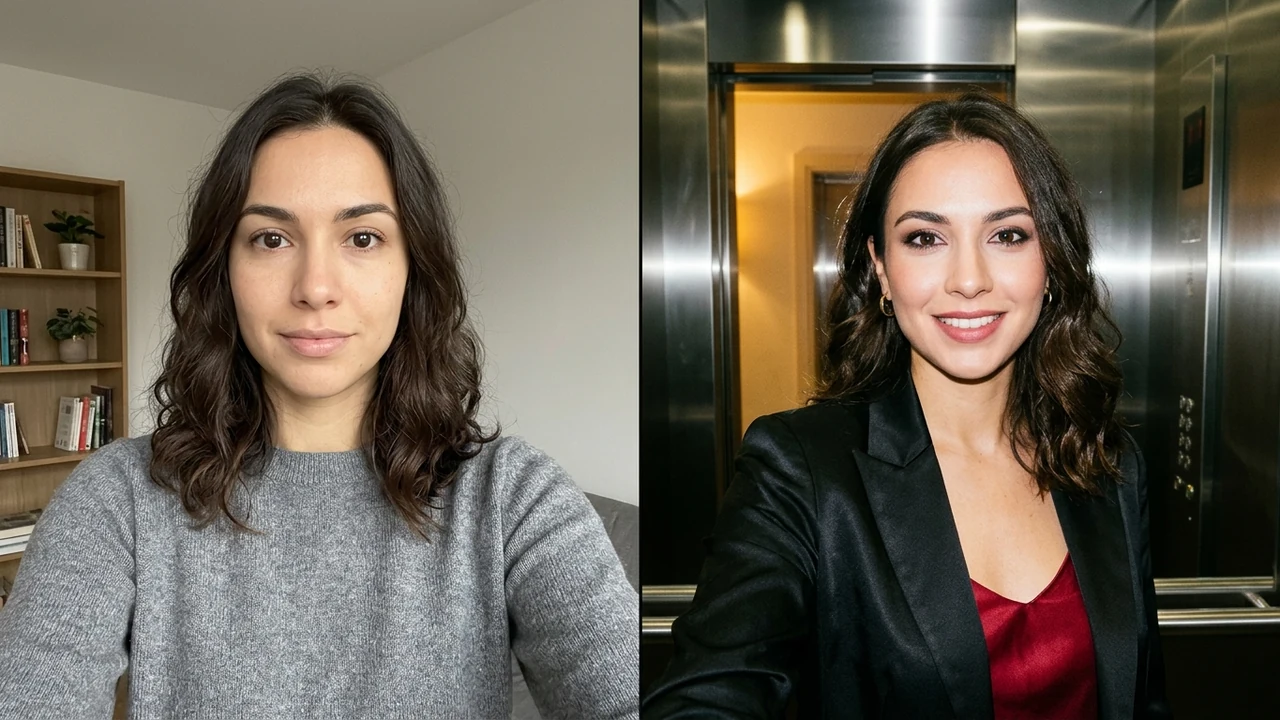
Using the uploaded photo as a strict facial identity reference, keep the exact same face structure, eyes, nose, skin tone, and hair unchanged with zero beautification. Create a candid direct-flash mirror-style party photograph inside a narrow brushed-steel luxury hotel elevator at midnight. The subject is wearing a sleek black satin blazer over a deep red top, holding a smartphone at chest height. Hard on-camera flash, subtle 35mm film grain, warm golden lobby light spilling from the edge, authentic shadows, no text, no watermark, 16:9.
Idea 2: Rooftop Skyline & Handheld Sparkler Portrait
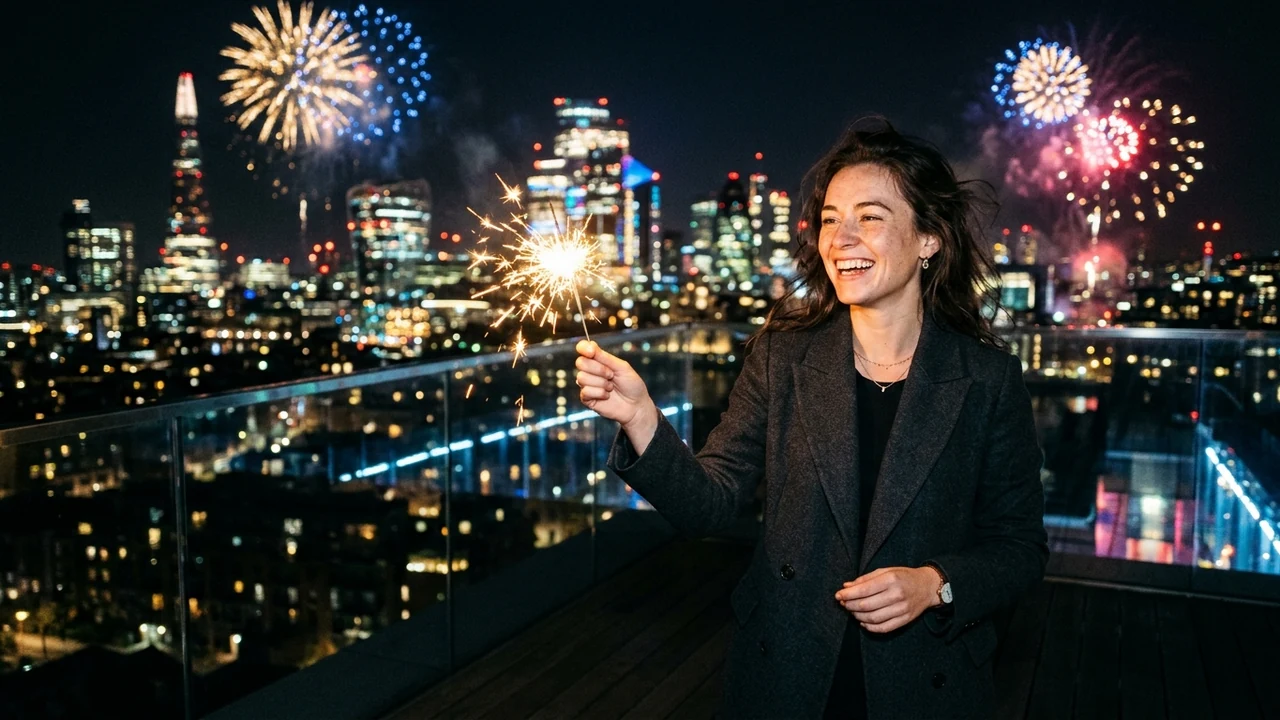
If you want a cleaner, high-impact portrait without harsh flash, a handheld sparkler on a city rooftop solves the hardest AI lighting problem automatically: the sparkler gives the model a single, believable warm amber light source across your face and coat collar, while distant fireworks sit softly out of focus behind you.
Notice how the prompt specifies skin texture and natural night-sky grain instead of vague buzzwords like "hyper-realistic 8k," which often trigger waxy smoothing. If you want to test subtle lighting variations before posting, try running two passes in Nano Banana 2.5.
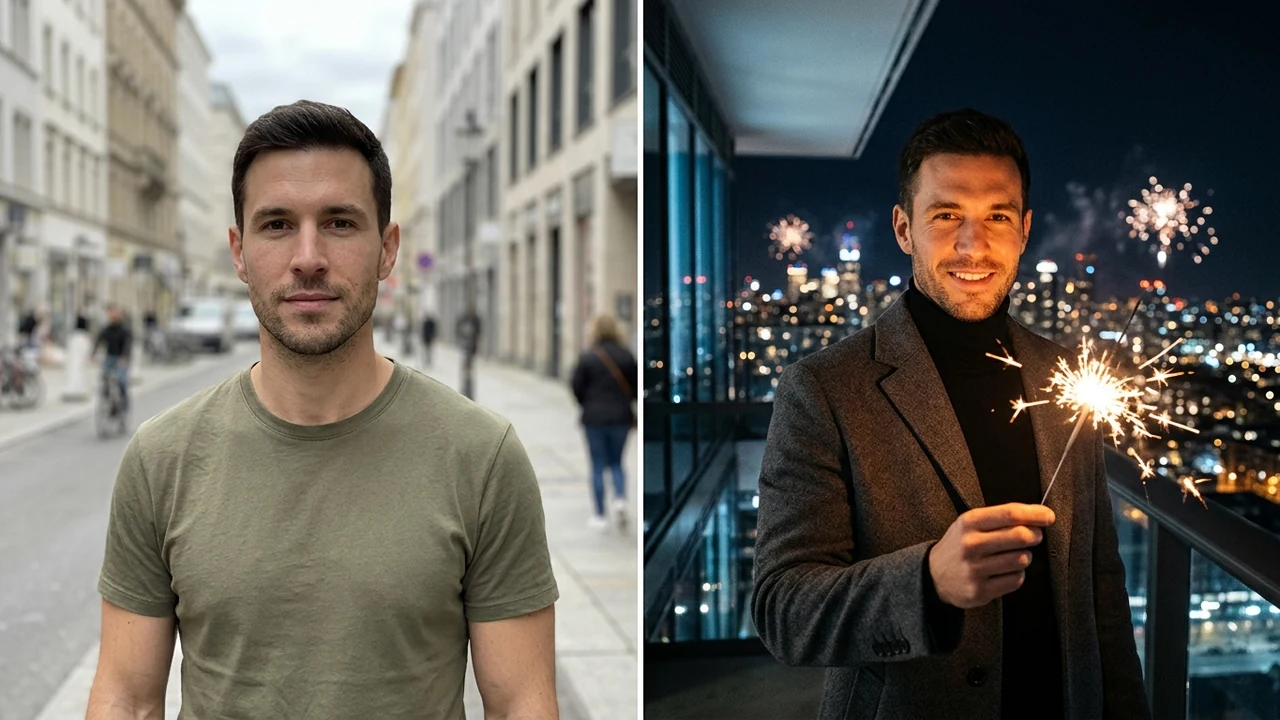
Using the uploaded photo as a strict identity reference, keep the subject's exact facial features, eye spacing, hairline, and light stubble completely unchanged. Place the subject standing on a modern glass-paneled city rooftop balcony at midnight, wearing a tailored charcoal wool coat over a black turtleneck, holding a glowing handheld sparkler that casts warm amber light across their face and coat. Blurred city skyline and colorful midnight fireworks in the dark sky behind them, shot on 50mm f/1.8 lens with natural night film grain, no text, no watermark, 16:9.
Idea 3: Midnight Couple Champagne Toast (No Face Blending)
Two-person New Year edits fail most often because the model averages both faces together or morphs glasses and smiles. Always start with a casual daytime couple photo where neither face is overlapping or blocked by sunglasses, and lock both subjects explicitly in the first sentence.
For extra tips on anchoring two people's eye heights and clothing textures across edits, see our Character Consistency guide—the same multi-subject rules we used in our 2026 Christmas couple and family prompts.
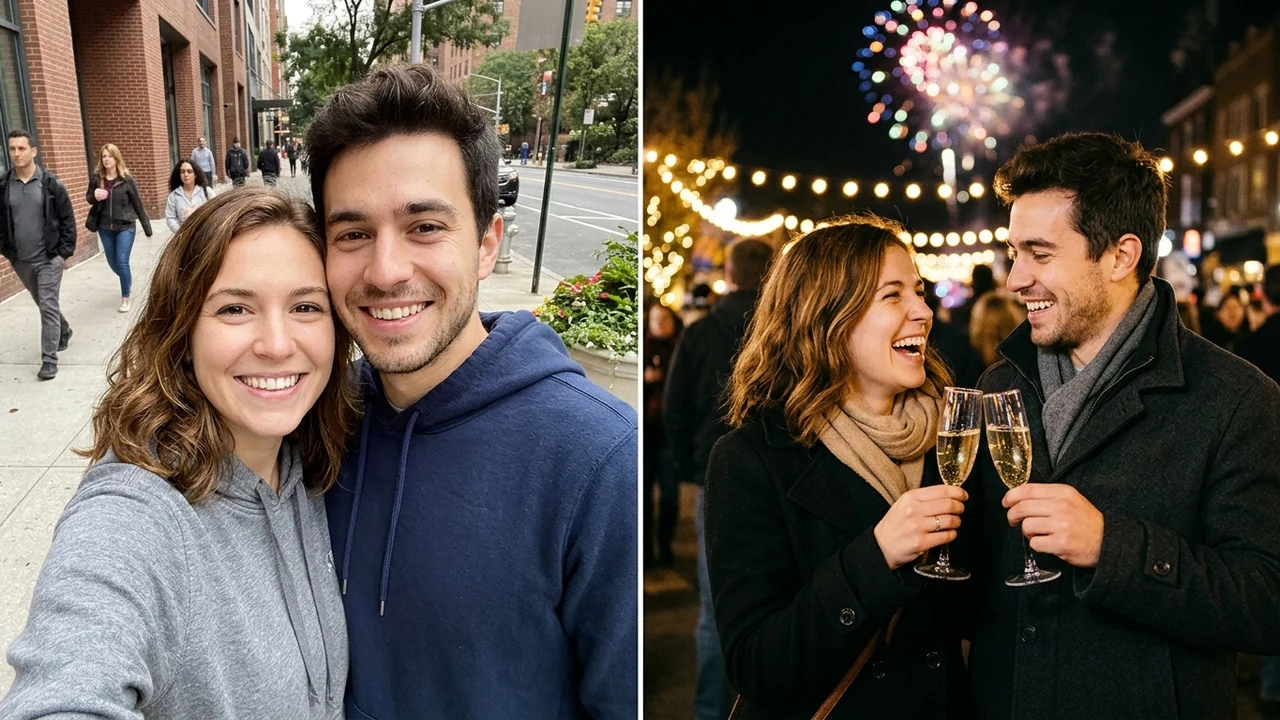
Using the uploaded couple photo as a strict dual-subject identity reference, preserve both people's exact faces, smiles, hairstyles, and height proportions unchanged. Place them outdoors celebrating New Year's Eve at midnight, wearing tailored dark winter wool coats and scarves, clinking two crystal champagne glasses mid-laugh. Warm golden bokeh string lights and colorful distant fireworks in the dark night sky behind them, candid 35mm photography, natural skin texture, no text, no watermark, 16:9.
Idea 4 & 5: Golden 2027 Editorial & Fixing Text or Face Drift
Another popular TikTok/Reels format pairs a casual "end of 2026" snapshot with a bright golden New Year editorial portrait inside a beat-sync slideshow—or adds oversized metallic 2027 balloons behind a studio party look.
Because real users run into the exact same glitches on almost every platform, keep these three 1-line follow-up fixes handy instead of starting over from scratch:
- If your face drifted into a generic model: Reply with "Keep the face, nose, eyes, and skin tone 100% identical to the uploaded reference photo; only change the outfit and lighting."
- If '2027' rendered misspelled or warped: Follow up with "Keep the person identical, and fix the metallic backdrop numbers so they cleanly read '2027' with zero extra letters." (Or check our Nano Banana Text Rendering guide for locking typography on the first try.)
- If you need vertical IG Stories or TikTok: Swap
16:9at the end of any prompt below to9:16(for Stories/Reels) or4:5(for Instagram feed posts).
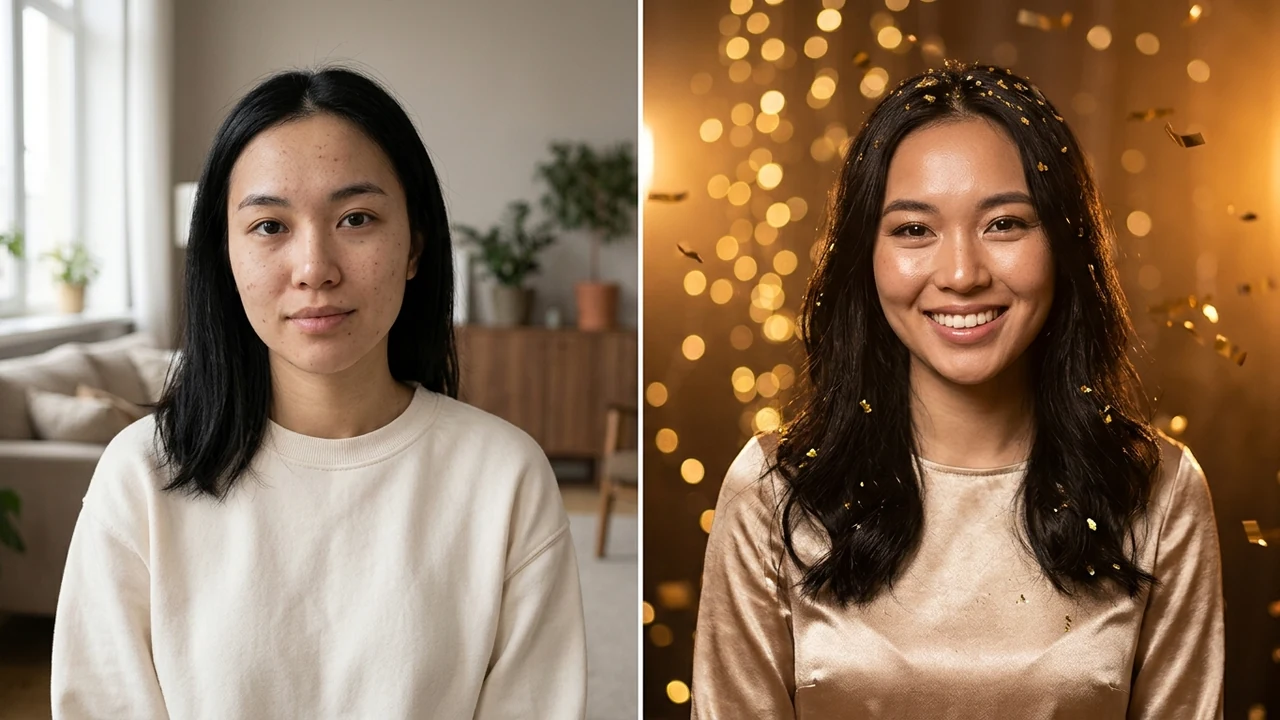
Using the uploaded photo as a strict identity reference, preserve the subject's exact facial features, natural skin texture, and shoulder-length hair completely unchanged. Create a warm golden-hour New Year editorial celebration portrait: the subject wears a shimmering champagne-gold satin top and smiles confidently as subtle metallic gold confetti drifts through warm amber backlighting and rich golden bokeh. Shot on 85mm portrait lens, authentic editorial magazine finish, no text, no watermark, 16:9.
Quick Selfie Checklist Before You Generate
Even the best prompt wastes credits if the source selfie fights the AI. Run a 5-second check before uploading:
| Input Selfie Check | What Works Best | What Causes Face Drift |
|---|---|---|
| Lighting | Even daylight or soft window light | Heavy colored neon or deep shadows across one eye |
| Angle | Straight-on or slight 15° turn | Extreme top-down angles or wide-angle distortion |
| Obstructions | Clear forehead, eyes, and jawline | Sunglasses, hands over chin, or cropped hair |
| Output Ratio | Pick 9:16 (Reels), 4:5 (IG), or 16:9 (desktop) upfront | Cropping a square image into a vertical Story later |
Frequently Asked Questions
How do I make sure the AI doesn't change my face in New Year photos?
Upload one clear, evenly lit front-facing selfie and open your prompt with an explicit anchor: "Keep the exact facial structure, eye spacing, nose, and natural skin texture unchanged." Avoid vague beauty words like "glamorous makeover" or "flawless skin," which push models toward generic faces.
Why does '2027' sometimes come out spelled wrong?
Sparkling balloons, neon signs, and cursive fonts are tricky for image models to render alongside a detailed portrait. Either run a quick follow-up edit telling the model to fix only the 2027 text, or generate a clean text-free portrait first and add 2027 typography in Instagram or CapCut.
What aspect ratio should I use for TikTok, Reels, and Instagram?
Use 9:16 for TikTok slideshows, Instagram Reels, and Stories, 4:5 for standard Instagram feed posts, and 16:9 for YouTube thumbnails or desktop wallpapers. Specify the ratio at the very end of your prompt before generating.